Deta agent
Measure, count and build takeoff tables directly in Deta with AI credits.
Updated
Start a task
- Open a cloud drawing and select AI Chat in the side panel.
- Describe what you want the agent to do, including the pages and any exclusions.
- Follow its work on the drawing and continue the conversation to make changes.
Count the doors on page 2 and create a takeoff table grouped by type.
Choose a model
Click the model name below the message box. Choose a provider and model, then adjust the thinking slider. More thinking can change accuracy, cost and time; it is not always better.
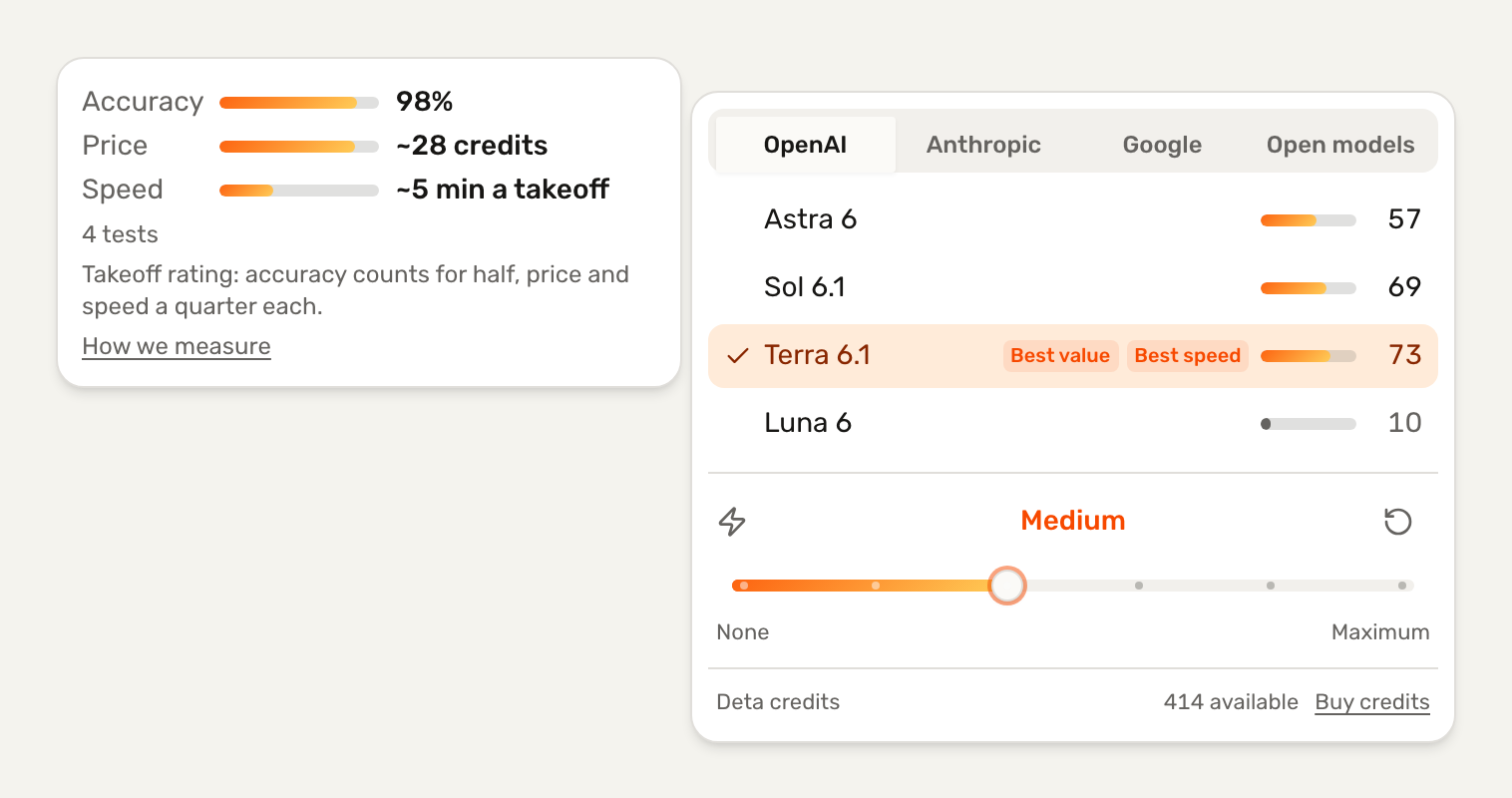
The takeoff rating combines accuracy, cost and speed. Compare models below or open the live leaderboard for all results.
Loading the latest leaderboard…
View the leaderboard →Credits and permissions
Buy credits from the model picker; no subscription is required. Pro and Studio include a monthly allowance. Purchased credits do not expire, and each response shows its cost.
Chat permissions, beside the model picker, controls whether the agent asks before actions or proceeds automatically.
To use Claude Code, Codex or another agent, see Connect an external agent. API specification used by the CLI.