Libraries
Reuse product data, markup presets, and table setups across your work.
Updated
Libraries belong to a workspace: its product libraries, markup preset libraries, and table templates are kept together for reuse across drawings. Each workspace has its own collection.
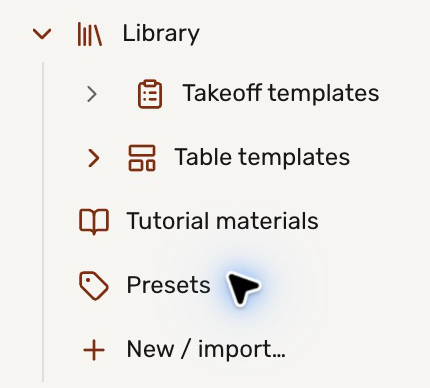
Expand the workspace in the left sidebar, then open  Library below its files.
Choose what to reuse
| Collection | What it holds | Start here |
|---|---|---|
 Product library | Rows of products, prices, units, and coverage that tables can read. | Create a product library or import a list |
 Markup preset library | Preset names, appearance, and fields for drawing marks. | Reuse preset libraries |
 Table template | Reusable columns, formulas, and optional starter rows. | Save a table template |
From products to quantities
A product library supplies reference data; a takeoff table measures your drawing. Link the table row to a product to bring those two together. For example, read a timber's stock length and unit price, then calculate how much to order.
Start new drawings with your presets
Choose a default preset library for the workspace to preload its presets and fields in new drawings. Existing drawings keep their presets.
You can also add a workspace’s markup preset library to a local drawing through the desktop app’s preset picker. The workspace default does not apply to local PDFs.
How to create a product library
Keep reusable product names, rates, units, and coverage in a workspace library.
How to import a product list
Paste spreadsheet rows or import a CSV, then map the columns into a product library.
How to reuse markup preset libraries
Save presets and fields together, add them to another drawing, and choose when to update them.