Export, print & issue
Download a PDF or images, certify and digitally sign PDFs in the desktop app, print your drawing, or keep a dated issued copy in its version history.
Updated
Choose an output
Open  Export & Print in the viewer header.
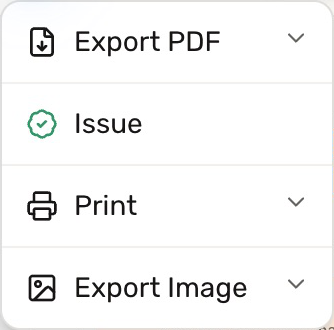
| You want to… | Use |
|---|---|
| Download the drawing as a PDF, with your choice of markups and comments |  Export PDF |
| Make a smaller PDF for delivery | Compress PDF images |
| Certify and lock a PDF or add digital signatures in the desktop app | Certify & sign |
| Print selected sheets or the whole document |  Print |
| Keep a dated, fixed copy of a cloud drawing in its history |  Issue |
| Download pages as PNG or JPG images |  Export Image |
Click an action’s name to run it. Click its  chevron to choose options first. PDF, print, and image settings are remembered separately.
Export and print work with local files and cloud drawings. Certify works with both local files and cloud drawings, but only in the Deta desktop app. Issue is available for cloud drawings.
Export a table
Tables have their own Table actions menu. Export or print a table to download spreadsheet values or prepare a formatted PDF with document details and page settings.
Save, share, or export?
Save / Save As Copy updates a connected source file or creates a separate linked copy. Export downloads a separate copy. Share gives people access to the drawing in Deta.
For only part of a PDF, use Extract pages.
How to export a PDF
Export a PDF with markups, or turn comment threads into a printable punch list with numbered drawing markers, replies, and current statuses.
How to reduce an exported PDF’s file size
Reduce the size of scanned drawings and image-heavy PDFs when exporting a copy.
How to print a drawing
Choose pages, paper, and scale before printing. Use Actual size to preserve the PDF’s printed scale, or Half size for a half-size set.
How to certify or digitally sign a PDF
Certify, sign, and export PDFs in the Deta desktop app. Works with local files and cloud drawings.
How to issue a dated drawing copy
Keep a fixed PDF of a cloud drawing and its markups, dated and recorded in the version tree.
How to export PDF pages as images
Download a page as PNG or JPG, or export a whole document as a ZIP of page images.
How to export or print a table
Download table values as CSV, or create a formatted printout or PDF with a reusable layout.