AI takeoff for estimators
Get hours back
The bid is due tomorrow. Dinner is at six. Tell Deta what to take off.
- AI first pass · before review
- 7m 05s
- Estimated by hand · same set
- 80 min
| Drawing | Areas | Measured SF |
|---|---|---|
| 21 | 4,917.88 | |
| 32 | 7,451.05 | |
| 6 | 2,072.78 | |
| Total measured | 59 | 14,441.71 SF |
Electrical takeoff
Skip the hand count
Deta’s AI counts devices and traces proposed cable runs. Select a row to see its marks on the plan.
Benchmark winner Sol 6.2 Medium · 100% accuracy on this set · $0.33Explore the electrical takeoff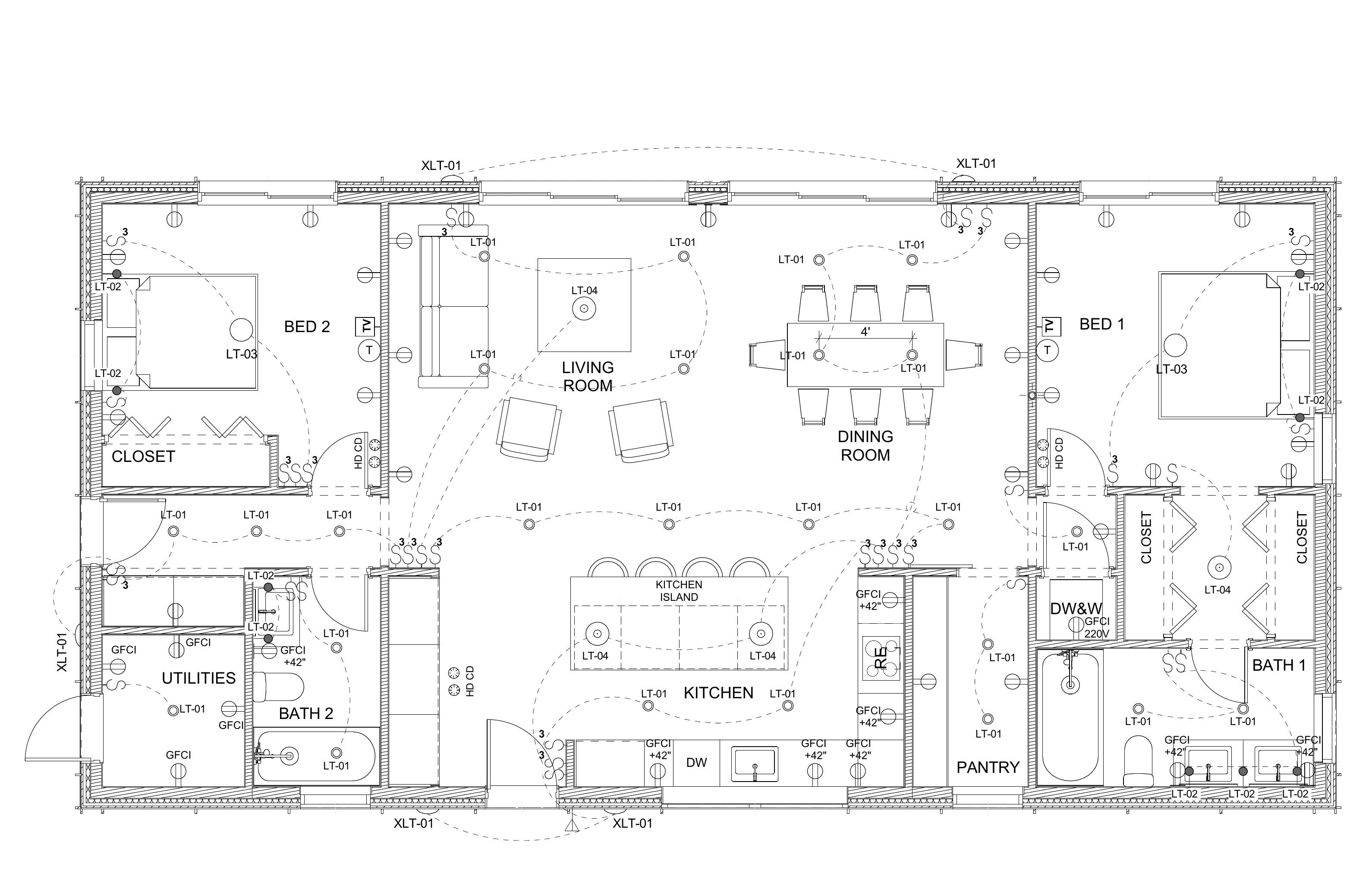
| Device | Qty |
|---|---|
| 0 | |
| 0 | |
| 0 | |
| 0 | |
| 0 | |
| 0 | |
| Total devices | 0 |
| Circuit group | Plan ft |
|---|---|
| — | |
| — | |
| — | |
| — | |
| — | |
| — | |
| — | |
| — | |
| Total plan length | 0.0 |
Ask the set
Straight to the source
Ask Deta what to carry in your bid. Follow a citation in its reply to the exact note, detail, or markup in your set.
Flooring in Gym Storage 122A to be Sealed Concrete, hatch pattern to be updated in Addendum #1.
Addenda
Skip the revision hunt
Even when an addendum arrives unmarked, Deta compares the two issues, clouds each difference, and labels it as added, removed, or changed.
See how drawing comparison worksProduct libraries
Stop pricing it twice
Import your supplier’s price sheet into a Deta library. Link a product to a takeoff once. When a quote changes, edit the library price and reopen any linked takeoff to see the new cost.
How to link a product to a takeoff| Product | Unit price | Selling unit | SKU | |
|---|---|---|---|---|
| Duplex receptacle | Pack of 10 | GEN-E11-REC | ||
| Interior GFCI receptacle | Each | GFCI-INT | ||
| Exterior GFCI receptacle | Each | GFCI-EXT | ||
| Duplex receptacle, single | Each | REC-EA |
Deta Cloud plans
Start with Cloud Free to run an AI takeoff on your drawings.
Cloud Free
Cloud features, with free plan limits.
No credit card required- 1 workspace
- 3 members per workspace
- 5 documents
- 3 integrations
- Tables and AI chats
- 50 AI credits / month
- Buy extra AI credits
- 30-day desktop app trial
Cloud Pro
Billed annually
For individuals who live in the cloud.
- Unlimited workspaces
- 3 members per workspace
- Unlimited documents
- Unlimited integrations
- Tables and AI chats
- 200 AI credits / month
- Buy extra AI credits
- Use Deta in your own AI agent
- Desktop access while subscribed
Cloud Studio
Billed annually
Billed to the company, from 3 seats.
Each seat goes to one person.
- Unlimited workspaces
- All Pro features
- 400 AI credits / seat / month (2x Pro)
- Desktop app included with every seat
Deta AI credits
Run AI takeoffs on any plan. Purchased credits never expire.
$0.01 per credit
Buy creditsEstimators’ questions
How do I check an AI takeoff?
Review the marked drawing by item type. Check unusual symbols and details, then correct a mark or ask the agent to revise it. Deta’s takeoff benchmark compares models on real drawing tasks by accuracy, elapsed time and cost.
Can I keep pricing in Excel?
Yes. Download the table as CSV and open it in Excel. The export captures the values at that moment. Quantities remain live in Deta, so you can export a fresh copy after a revision.
How do I keep a record of the bid I submitted?
Freeze the reviewed table to keep its quantities and rates fixed. Export the marked PDF and table with your bid so the next reviewer can see which drawing and quantities you carried.
Try a takeoff on your next bid set.
Import a PDF into a cloud workspace. Start with one sheet and tell Deta which items to count.
Try Deta Studio