Counting electrical symbols across the whole sheet
Anyone who’s counted outlets by hand knows the routine. Whether you’re marking up a print with a highlighter or clicking symbols on a PDF, you still work room by room and wall by wall. Was that kitchen outlet already counted? Did it go on the standard duplex tally or the GFCI tally? Lose your place and you’re back at the start of the wall.
Bluebeam Revu and other legacy takeoff tools built around visual search leave the estimator babysitting a symbol hunt. You box a duplex outlet and inspect the matches. A stray line on a scan can hide a valid match. Loosen the sensitivity and lookalikes creep into the count. Once you’ve sorted those out, you’ve finished one device type. The GFCIs, switches, and lights each get another turn. You’re still running the takeoff one search at a time.
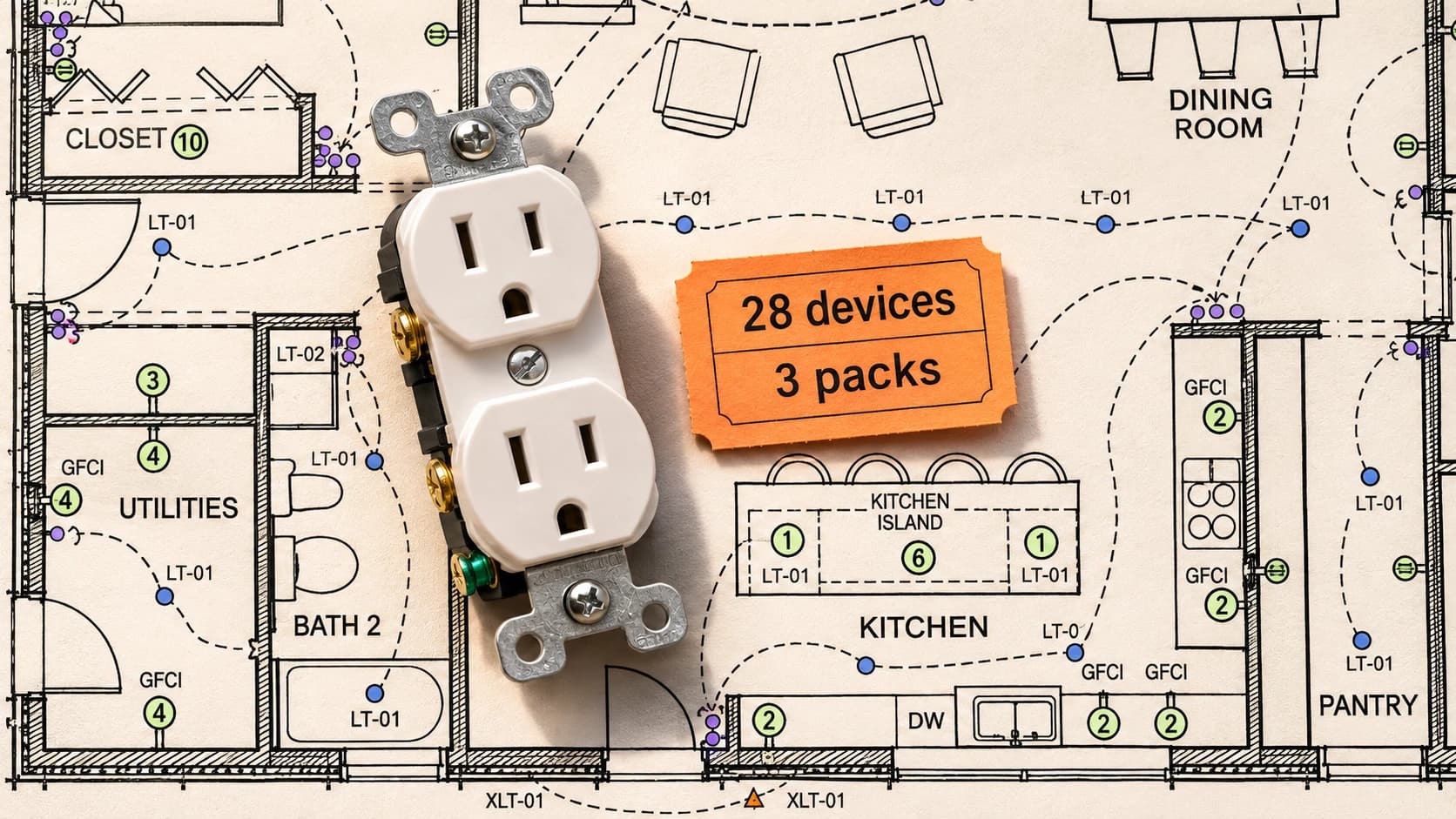
Today we can give Deta’s agent the whole electrical sheet and ask for all the device counts at once. In this example, the agent marks the lights, outlets, and switches on the plan, classifies each by type, and builds a live takeoff table. The estimator can go straight to the kitchen counter and check which outlets the agent counted as GFCIs.
Look along the kitchen counter. Several outlets share the same green dot, but the GFCI label beside a symbol matters when it’s time to buy. Across the sheet, the agent counted 28 general duplex receptacles, 12 GFCI-protected duplexes, and 3 exterior GFCI duplexes. Each quantity links back to its own marks on the plan. Only the 28 general duplexes go into the pack calculation below.
Keep supplier pricing connected to the takeoff
Export 28 outlets from Bluebeam and the buying work is still yours. Find the right receptacle, check whether the quote is per device or per box, and copy it into the estimate. When a revised quote lands an hour before the bid is due, which rows still carry the old price?
On this job, we give Deta’s AI the 28-outlet count and ask it to source the receptacles. It finds a Leviton T5320-WMP ten-pack at Max Warehouse, saves the supplier link and the October 30 price in a product library, and links it to the receptacle count. At $15.26 a pack, the estimate calls for three packs at $45.78.
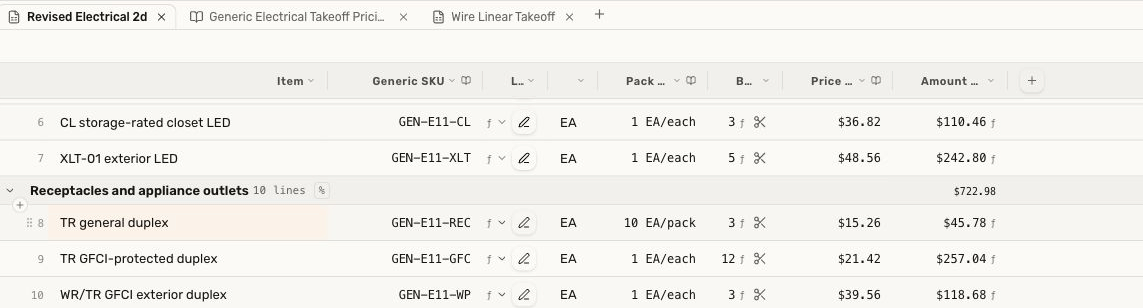
If the supplier revises the quote to $17 a pack, change that library entry once. Reopen the takeoff and the three-pack line reads $51. Every row using that product picks up the same price.
Have a better price from your distributor? Drop its price sheet into Deta’s AI chat and ask the agent to build the library from your negotiated rates and pack sizes.
Estimate wire lengths on a separate branch
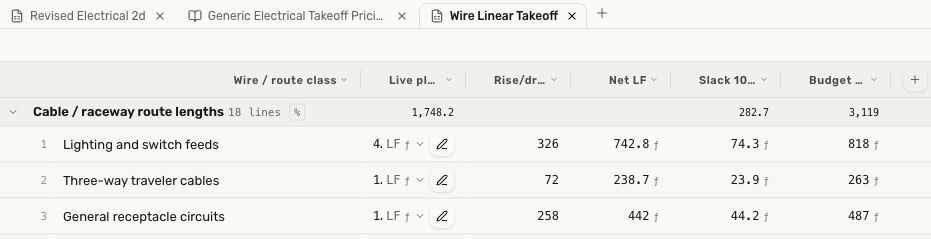
Copper wire is expensive. To know how many feet you need for a job, you have to measure the runs. Tracing every circuit by hand, down every wall and through every chase, is a slog.
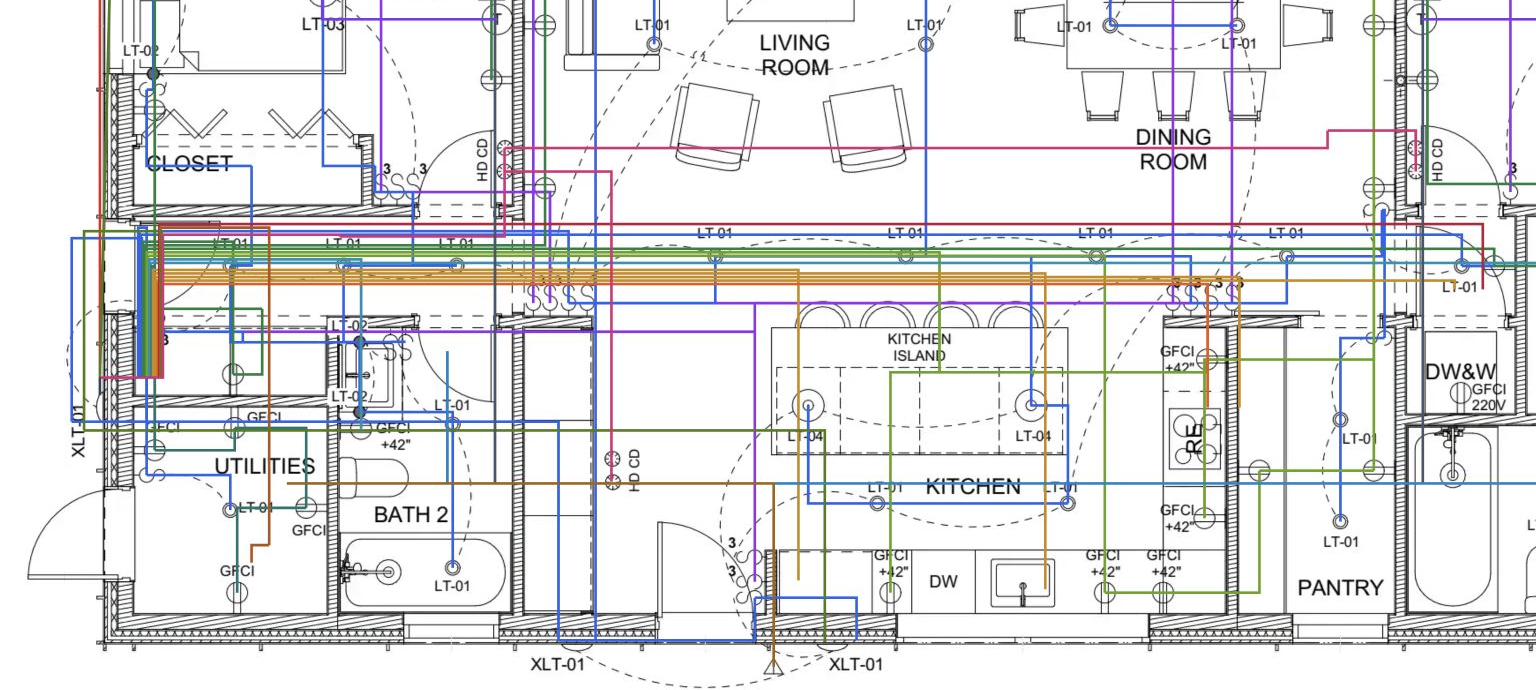
We ask Deta’s agent to draw and measure the proposed runs on a separate branch. The colored lines show the horizontal routes. For the vertical runs, the agent assumes the cable goes overhead and drops down the walls to the devices.
Watch the electrical takeoff walkthrough
Watch the symbol count at 1:56 · Watch product sourcing at 3:01 · Watch wire-route modeling at 4:16