Drawing review:
simple to pick up, smooth to use.
Mark up, measure, review — done.
Deta Studio is the easy way to review drawings. Redline, dimension, and keep every comment tracked — on your computer, with your team, on any device.
Mac, Windows, iPad & mobile · Works offline · No credit card required
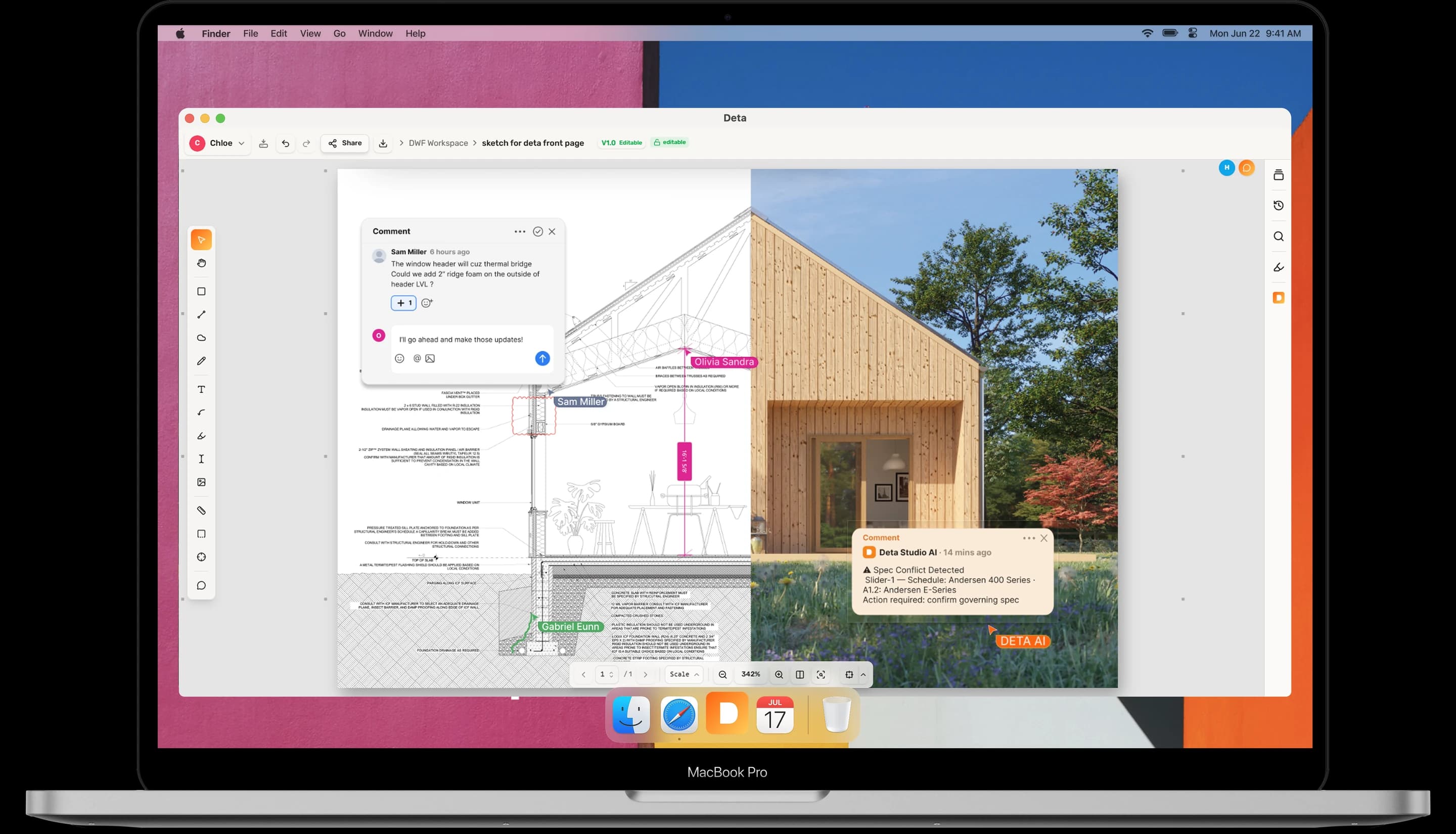
Everything a review needs.
Nothing it doesn't.
Markup
Mark up as fast as you think.
Every tool feels light and immediate, so reviewing a sheet stays effortless — and nothing you flag ever gets lost.
Overlay two revisions and every change lights up. Nothing moves on a sheet without you seeing it.
Dimension
Measure once, trust it everywhere.
Calibrated, accurate takeoffs without leaving the drawing — numbers you can hand straight to the next person.
Calibrate the sheet once, then measure anything — metric or imperial, always to scale.
Whiteboard
An open canvas with real dimensions.
Collect ideas, images, and sketches side by side with your drawings — on a board that understands scale and grows with your project.
Drag images, screenshots, and references straight onto the board. No import step — it lands exactly where you drop it.
Collaboration
Connected everywhere you work.
Robust on a job site with no signal, effortless with a team across time zones — the same easy review either way.
Mac, Windows & mobile
The same smooth review on your desktop, your laptop, and the phone in your pocket.
Local, no internet needed
The local version runs entirely on your computer. Your files stay yours — no connection required.
Real-time cloud collaboration
Open a cloud file and review together, live. Everyone sees every markup as it happens.
Linked to Drive & Dropbox
Open files straight from Google Drive or Dropbox. Markups sync back — no re-uploading, no copies.
Simple pricing, for everyone.
Own it outright on your computer, or subscribe for the cloud. Don't need the cloud? You never pay for it.
Permanent license
Yours forever, on your computer.
15-day free trial · download for free- Runs locally on your computer — no internet required
- All markup and dimension tools included
- Pay once, keep it forever
- Upgrade only when you need to
- Includes 5 free cloud files — whiteboards or collaboration PDFs
Try free for 15 days, no credit card required.
Cloud Pro
For individuals who live in the cloud.
- Unlimited workspaces and documents
- Real-time collaboration on shared PDFs
- Whiteboards with your whole team
- Version history synced across devices
Cloud Free & Studio
Try the cloud for free, or run a whole team on Studio.
- Free plan — no credit card required
- Up to 3 members per workspace on Free
Made for the people
who live in drawings.
Sketch over drawings, collect references on a scaled whiteboard, and turn feedback into a clear list of what changes next.
Redline sheets, cloud revisions, and keep every consultant comment tracked to resolution — from schematic design to CDs.
Measure, count, and take off quantities straight from the drawing — and review the same set on site, with or without internet.
Education
Educators and students
get the license for free.
Teaching or studying architecture, engineering, or construction? Email us from your school address and we'll send you a free license.
Email us — hello@deta.studioFAQ
Frequently asked questions
The permanent license is a one-time purchase per license. It runs locally on your computer with every markup and dimension tool included, works fully offline, and is yours forever — you only pay again if you choose to upgrade to a future major version. It also includes 5 free cloud files (whiteboards or collaboration PDFs) so you can try cloud collaboration.
No. With the permanent license, Deta runs entirely on your computer with no subscription and no internet connection required. A cloud subscription is only needed if you want real-time collaboration, shared whiteboards, and files synced across devices — and the cloud has a free plan to start.
Yes. Educators and students get the license for free. Email us at hello@deta.studio from your school email address and we will send you a free license.
Yes. Deta connects directly to your Google Drive and Dropbox accounts. Open, mark up, and save files without re-uploading, and changes sync back automatically.
Deta includes a full AEC markup toolset: redlines, highlights, comments, callouts, and freehand drawing. You also get a whiteboard canvas for collaborative sketching.
Our built-in version system tracks every file update automatically. When you or your team overwrites a file in Dropbox or Google Drive, Deta captures the new version and preserves all markup notes from the previous revision.
Yes. Deta runs in any modern browser on Mac, Windows, iPad, and mobile devices. No app download required.
Yes. Deta includes calibrated measurement tools for length, area, perimeter, and count, with full metric and imperial scale support.
No file size limits. Deta uses a cloud rendering engine that processes PDFs server-side, so even 200–300 page construction document sets open instantly on any device, with no slowdowns, no crashes, and no need to split files.
Deta is built specifically for AEC team collaboration. Unlike Bluebeam or Acrobat, it syncs live with Dropbox and Google Drive, and works in any browser without a desktop install.
Yes. Bluebeam has no native Mac app, but Deta runs in any browser on Mac, Windows, and iPad. It covers the core workflows Bluebeam is used for — PDF markup, redlines, measurements, slip sheets, version tracking, and team collaboration — with no desktop install or per-seat licence, and syncs directly with Dropbox and Google Drive.
Yes. Like PlanGrid, Deta gives construction teams a shared, always-current drawing set with field markup and version sync. Deta adds direct Dropbox and Google Drive integration, and works in any browser with no app download required.
Yes. Deta replaces Acrobat for AEC drawing review, with purpose-built markup tools, real-time team collaboration, and live cloud storage sync. No desktop software, no per-user Acrobat licence needed.
Yes. The free plan includes 1 workspace, up to 3 members, and 5 documents, no credit card required.
Yes. You can upgrade or downgrade your plan at any time from your account settings. Changes take effect immediately.
Yes. You can cancel at any time from your account settings. You will retain access until the end of your current billing period.
We accept all major credit and debit cards. Invoiced billing is available on enterprise plans. Contact us to learn more.
Your invoices are available under Billing in your account settings. You can download them at any time.